Your own business number
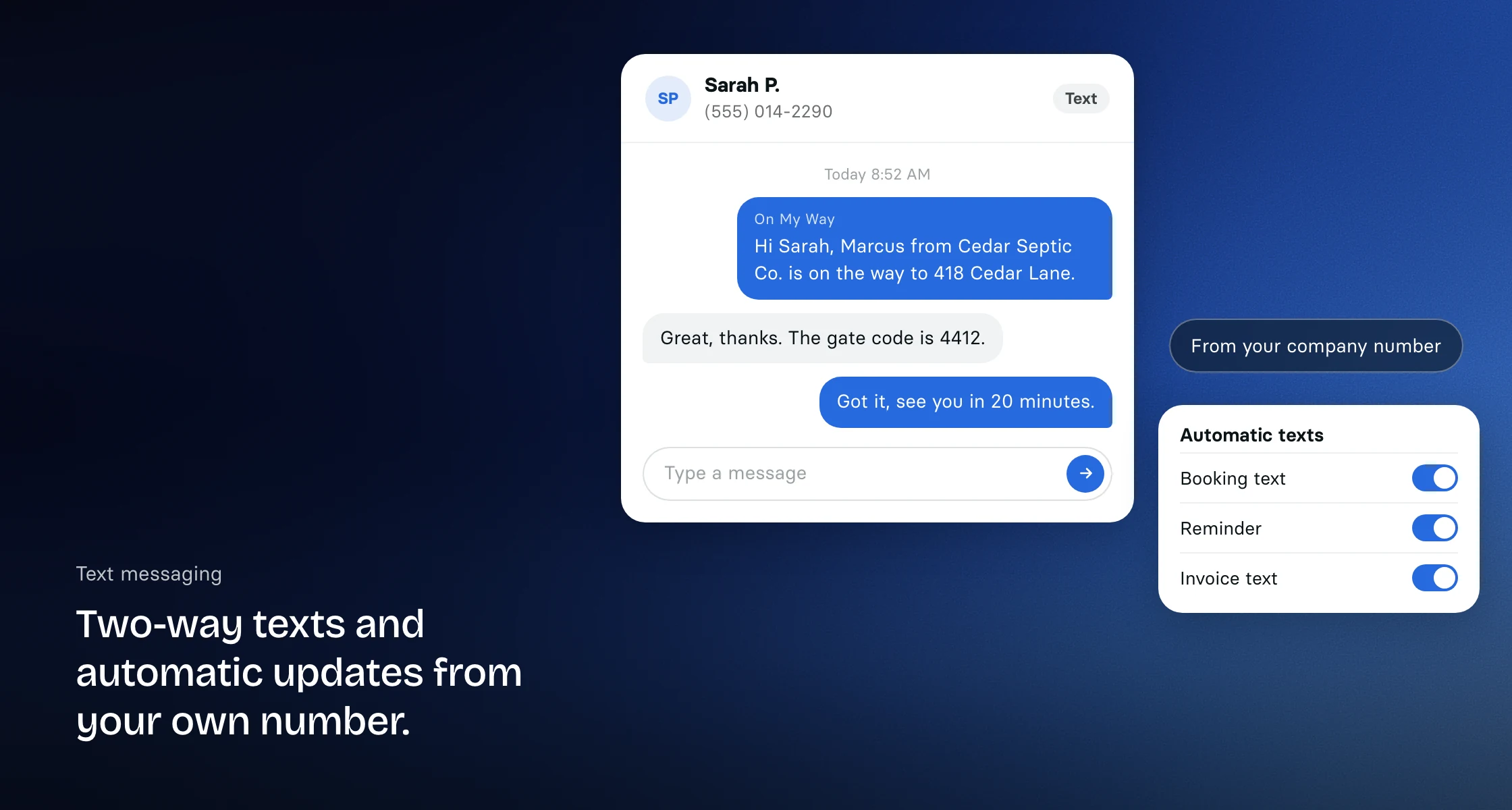
Pick a local number by area code in Settings, under Messaging, starting from the area code Clevra suggests. It becomes your Clevra number, one per business, and every text goes out from it, so replies come back to you. US businesses then complete the A2P 10DLC registration that US carriers require, which usually takes 1 to 3 business days, and Clevra walks you through it. Canadian businesses skip that step. You do not need your own Twilio account.
One inbox for every conversation
Client replies land in Messages, so anyone in the office can pick up a thread. Start a new conversation from the inbox, match an unknown number to a client, and see in each conversation whether the client can be texted. Write a text after hours and Clevra schedules it for when your texting hours open, or you send it now anyway. A scheduled text shows in the conversation until it goes, and you can cancel it or send it early.
Visit texts that send themselves
Booking confirmations, day-before reminders, On My Way, rescheduled, cancelled and visit-complete thank-you texts go out on their own, and so do texts for estimates, invoices and payments. Turn each one on or off, and reword them in Settings, under Templates. The first text to a new phone ends with "Reply STOP to opt out."
Texts only go to clients who agreed
Clevra texts a client only once they agree: they ticked the box on your request form, your admin confirmed it when adding or importing them, or they texted START. Every change is kept on the client's record with who made it and when. A client who texts STOP gets no more texts until they text START, and a new phone number starts with texts off.
Texting hours you control
Reminders and follow-up texts wait for your texting hours, in your business time zone. Cancellations and other time-sensitive texts always send right away.
Calls to your Clevra number
Your Clevra number takes calls as well as texts. With the AI receptionist on, it answers every call in your company's name and files each call as a request, like the ones from your request form. The AI receptionist is a $25 a month add-on for Pro and Business. Without it, on Business a call can ring the phone you choose, showing your Clevra number, and on Pro callers hear your message. Texts keep landing in Messages either way.
Plans
SMS and two-way texting come with Pro and Business. Business adds picture messages (MMS) and call forwarding. Texting starts when your paid plan begins, not during the free trial, and on Free the texting controls show an upgrade prompt. See pricing.
More on how Clevra works: Scheduling, Estimates, Invoicing, Payments, CRM.