
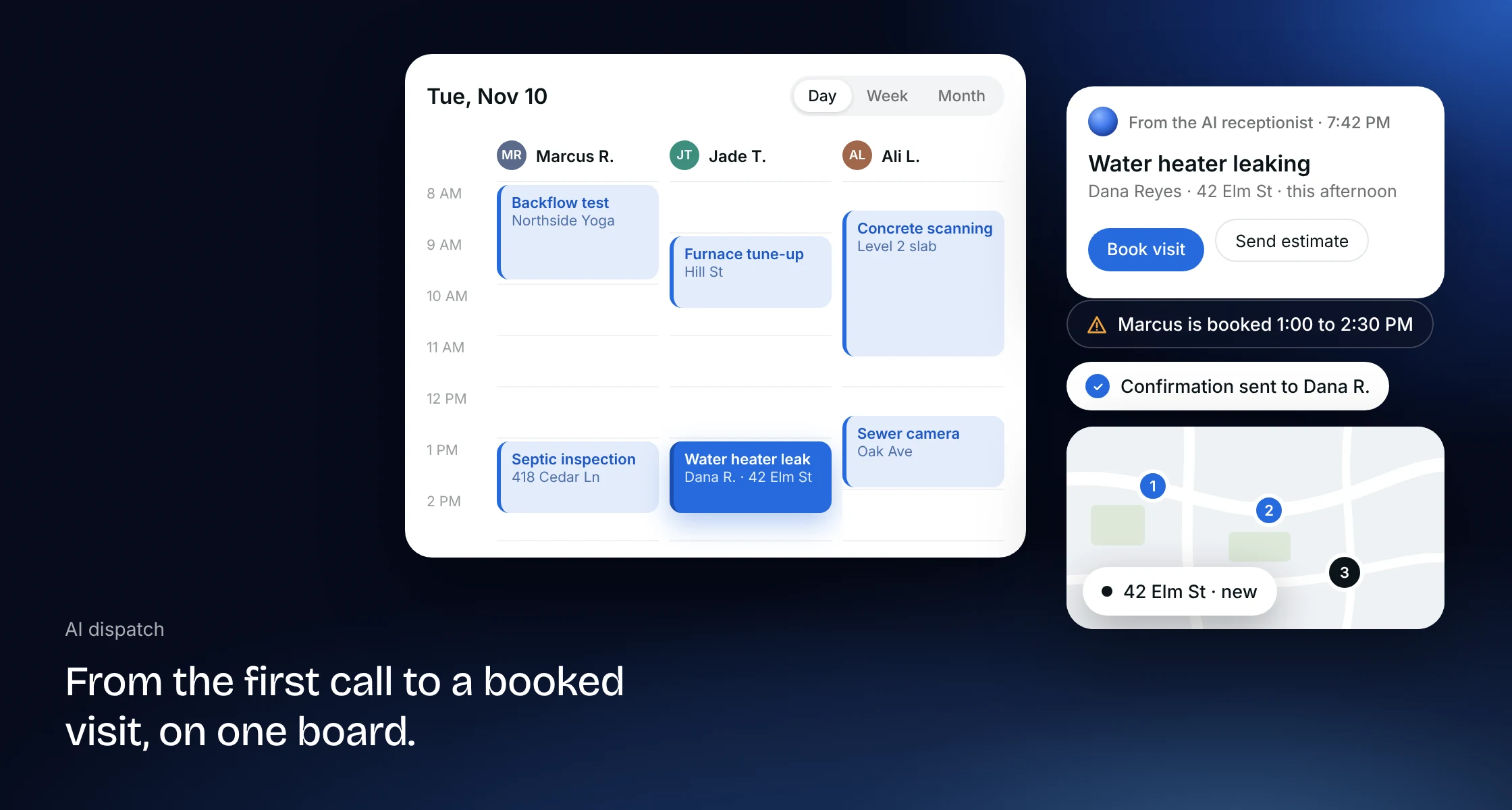
From the first call to a booked job
A job in Clevra starts as a request and ends as a paid invoice, on one record. The AI receptionist answers calls in your company's name and files them as requests, next to the ones from your website form, email and client portal. Your dispatcher sends an estimate or books the visit, and the client gets a confirmation email and a reminder the day before without anyone picking up the phone.
The right tech for every job (Early access)
We are building automatic assignment that picks a tech for each new visit, and an AI Office Manager that updates customers on arrival times and fills cancelled slots. Neither is available yet. Today you assign the crew when you book, and Clevra warns you before you save a visit that clashes with someone's day. Book a demo to join early access.
A schedule and map that stay current
Every job, visit, task and on-site assessment sits on one calendar next to a map. Switch between month, week and day views, give each tech a column in day view, and drag a visit to a new time when the day changes. Work without a date waits in the Unscheduled list until you drop it on a day, and the map pins each visit at its address so you can keep nearby work together. See how scheduling works.
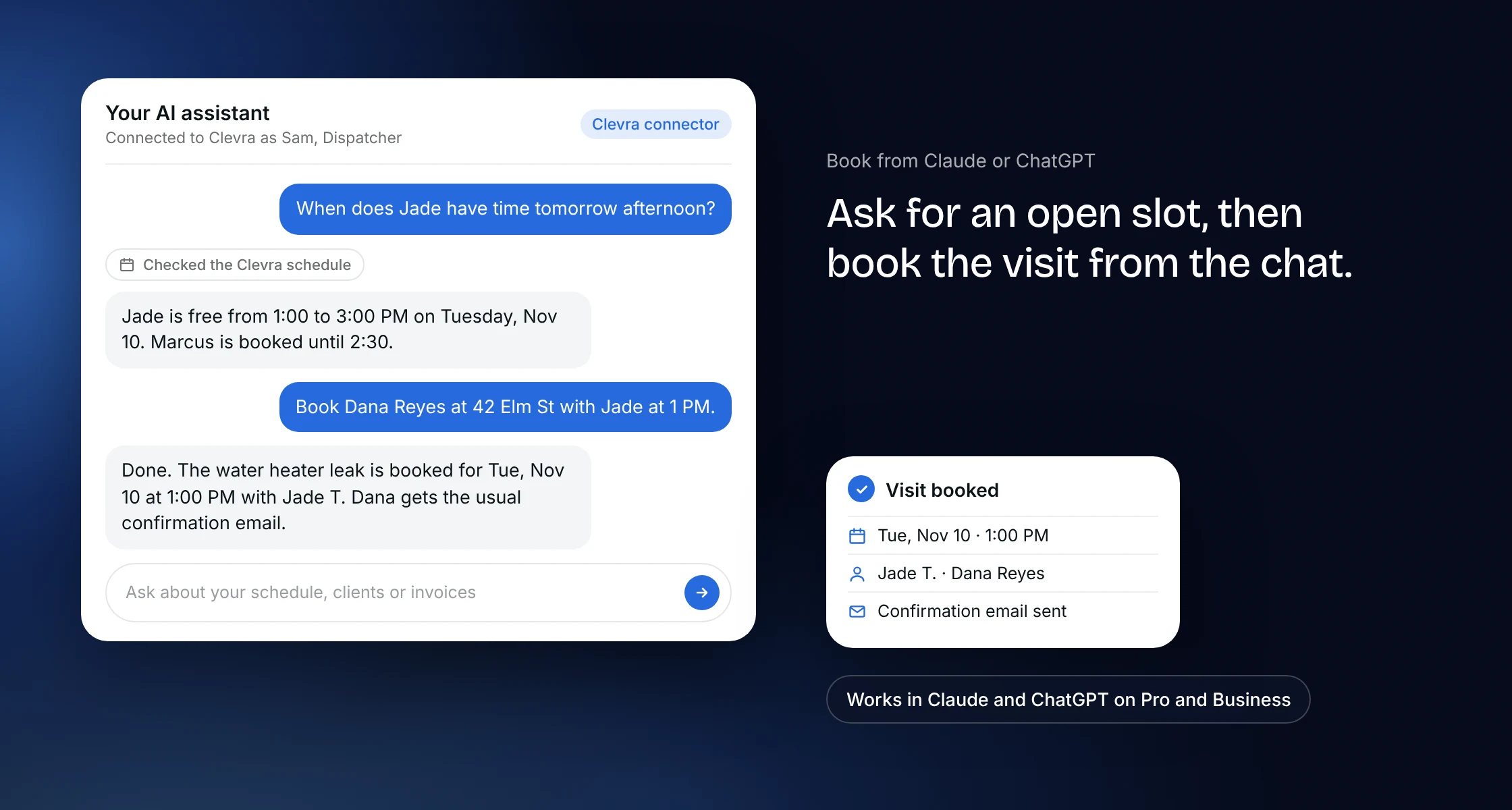
Book visits by asking Claude or ChatGPT
On Pro and Business, connect Clevra to Claude or ChatGPT and ask in plain words what is on tomorrow or when a tech has an open slot, then book the visit from the chat. A visit booked there sends the same confirmations as one booked in Clevra, and the assistant only sees what your role can see. You connect by signing in, with no key to paste: see the Clevra MCP server.
Dispatch that knows the site
A visit carries what the tech needs on arrival: the client, the property, visit instructions and the checklists that come with the service. A required checklist blocks the visit from closing until it is filled in, and a checklist with Client report on becomes a numbered inspection report the client can open. Techs see their own day on their phone, and On My Way texts tell the client they are coming (texts on Pro and Business).
Built for crews of 1 to 15
Scheduling, the map, recurring jobs and email confirmations are on every plan, including Free for one seat. Pro is $49 a month for up to 5 seats, or $39 billed annually, and Business is $99 a month for up to 15 seats, or $79 billed annually. The AI receptionist is a $25 a month add-on for Pro and Business. Paid plans are flat team prices, not a fee per technician. See pricing.
AI dispatch vs dispatching software: what changes
Dispatching software gives you a board, and a person still answers the phone, types the job in and calls everyone with updates. AI dispatch takes the routine parts off that person's plate.
- Live in Clevra: calls answered and filed as requests, visits booked from Claude or ChatGPT, automatic confirmations and reminders, clash warnings, and a shared calendar and map.
- Early access: automatic tech assignment, and an AI Office Manager for arrival updates and cancelled slots.
- Not in Clevra today: route planning and GPS tracking of trucks.
More on how Clevra works: Scheduling, Jobs and visits, Request forms, Estimates, Crew management.